More Bad News For OnePlus Phone Users

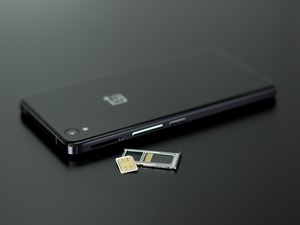
OnePlus phones have been getting plenty of bad press lately, thanks to malicious apps found to be factory-installed on a percentage of the devices, along with some intrusive data collection features the manufacturer has installed. As it turns out, though, the story gets worse.

Recently, a security researcher going by the alias “Elliot Alderson” discovered a factory-installed application called “Engineering Mode” that can perform a series of intrusive hardware diagnostic routines, and can even be used to root the device. What’s worse is that security flaws in the app make it easy for hackers to exploit.

Alderson believes that the likeliest scenario for the existence of the Engineering Mode application is that it was a diagnostic app installed and used at the factory to test OnePlus phones prior to shipment.  Somehow, the app was never uninstalled after the initial testing was completed, exposing OnePlus users to extreme danger of losing control over their devices and any data stored on them.

According to Alderson, all a hacker would need is physical access to the phone. Once he has it in hand, one simple command is all it takes to root the phone. Other researchers have independently verified Alderson’s findings. Since he first published them, the company has admitted their mistake and promised to remove Engineering Mode from all OnePlus phones in a future update, although no ETA has given for when that might occur.

If you currently own and use a OnePlus phone, be aware of this and use with caution. Keep on the lookout for the update from the manufacturer which will remove the “feature” for you, but if you’d rather not wait, you can go into the phone’s settings and manually remove it.

Physical security of smart devices has always been vitally important, but in the case of the OnePlus, that’s doubly true. Keep it close!


New Ransomware “BadRabbit” Starting To See Infections In The US

You may not have heard of the new strain of ransomware known as BadRabbit. If you haven’t, it’s because the overwhelming percentage of BadRabbit attacks have been occurring in Russia, which accounts for 71 percent of all known infections at present. Unfortunately, there have been a few infections reported in the United States, which may be a harbinger of things to come.

The new threat is functionally similar to NotPetya, which not only encrypts the files on a target system, but also then encrypts the file system, which gives the victim a lovely ransom lock screen before the OS can even boot up.

Fortunately, there are simple things you can do to help protect yourself from this latest threat.

Event Log Monitoring

Windows Defender is capable of recognizing the threat, provided you’re using detections update 1.255.29.0 or higher. If you haven’t updated to this version, do so immediately.

Once that is done, be aware that BadRabbit will schedule tasks using the names “Viserion,” “Rhaegal” and “Drogon.” If you see any of these, it’s a clear sign of an infection in process on your network. Administrators can attach scheduled tasks to events bearing these names, running specified commands should one of these be detected. For example: initiating a “shutdown -a” command.

Obviously, this stuff can be quite complicated. We would highly recommend you reach out to us to not only scan your network, but to also evaluate your entire network for potential threats or vulnerabilities. Ransomware is a real threat that is literally shutting down businesses, and this is on a global scale. If you aren’t being proactive against hackers, you can easily find yourself locked out of your own network.

BadRabbit is just the latest in hackers’ arsenal of ransomware and threats on your network. If you are as concerned as we are, give us a quick call.

Touch And Vibration May Be The Fingerprints Of The Future

Researchers at Rutgers University have hit upon a novel idea that could be a game-changer in terms of biometric identification. The team published a paper entitled “VibWrite: Towards Finger-input Authentication on Ubiquitous Surfaces via Physical Vibration,” and demonstrated a prototype of the device at the Association for Computing Machinery (ACM) conference in Dallas, Texas.

The new technology is a lesson in simplicity, consisting of a simple vibration motor and a receiver on most any solid surface (wood, metal, plastic, glass etc.). The motor sends vibrations to the receiver, and when the user touches the surface, the vibration waves are modified, creating a unique signature.

By itself, this isn’t terribly remarkable or exciting, because a single finger touching the surface in question doesn’t create a signature that’s unique enough for individual identification. On the other hand, combining that basic idea with the act of drawing a pattern or entering a PIN on a vibrating surface would create patterns of sufficient complexity to identify individual users, and that’s where the real magic is.

It should be noted that at this point, the technology isn’t ready for mass production, and the research team estimates that it’ll probably be another two years until it is. Among other things the group still needs to improve are:

• Accuracy – There’s not much more to be done on this front. The current model is 97 percent accurate, producing only three percent false positives. However, that last three percent is crucial.

• Sensitivity – At present, the most persistent complaint associated with using the new technology is that users often have to re-enter the PIN, or retrace the pattern multiple times before they can pass the device’s authentication checks.

• Weather – Ideally, these devices could be placed everywhere, but in order for that to become a reality, they’ll need to be tested in a wide range of temperatures and humidity levels, which hasn’t been done yet.

All in all, it’s an exciting new technology with tremendous possibilities. It’ll be interesting to see how well it is accepted by the market.

Epson Printer Having Issues? It Could Be A Microsoft Update

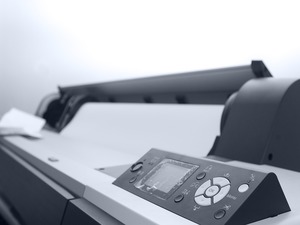
Do you have an older Epson printer that suddenly stopped working? If so, it may not be the printer at all, but a recent Windows update that lies at the heart of the issue.

German engineer Gunter Born tracked the problem to the following Microsoft Patches:

  • KB4048953 for Windows 10, Ver. 1607
  • KB4048954 for Windows 10, Ver. 1703
  • KB4048955 for Windows 10, Ver. 1709
  • KB4048957 for Windows Server 2012, R2
  • KB4048958 for Windows 8.1
  • KB4048959 for Windows Server 2012
  • And KB4048960 for Windows 7, Service Pack 1

These recent updates caused a malfunction where Epson dot matrix printers are not recognized if they are connected via USB cables.

Epson users noticed the problem immediately, of course, and the issue was reported on a wide range of support forums across the internet as users cast about desperately for a solution. Microsoft ended speculation into the matter fairly quickly, confirming the recent patches as the root cause of the issue, and promised that a patch to the patches was coming. As of now, though, we don’t have an ETA on when the fix can be expected.

In the interim, users can still make use of their printers by uninstalling the faulty updates. Gunter Born recommends running the following command in a cmd.exe window:

Wusa /uninstall /kb: xxxxx /quiet /warnrestart

If this command is run as Administrator, and “xxxxx” is swapped out for the faulty KB update you installed, printer functionality will be restored.

It’s far less than optimal, though, because those updates contained a variety of patches for security issues. However, if you need immediate access to that printer, until Microsoft issues a revised patch, it’s about the only option you’ve got. Just make sure your IT staff is aware so that they can be on the lookout for the update.

Large Number Of HP Models May Have Keyloggers

HP is in the news again. If you missed the initial story, earlier in the year, it was reported that an audio driver that came pre-installed on a number of HP laptops contained keylogging code that stored every key stroke made by the person using the machine to a human-readable file. Once discovered, HP issued a patch that removed the keylogging function and deleted the data file.

Now, an independent security researcher going by the name “ZwClose” has discovered more built-in keyloggers in 460 HP Notebook models and counting.

At issue is the SynTP.sys file, which is an integral part of the Synaptics Touchpad driver that ships with a great many HP Notebooks. Although the keylogger is disabled by default, a hacker could enable it using open source tools, simply by changing a registry value.

After HP was notified, the company released a security advisory, which included the following:

“A potential security vulnerability has been identified with certain versions of Synaptics touchpad drivers that impact all Synaptics OEM partners. A party would need administrative privileges in order to take advantage of the vulnerability. Neither Synaptics nor HP has access to customer data as a result of this issue.”

Since the release of the security advisory, HP has issued a driver update that removes the code for all affected models, so from a business and security standpoint, there’s nothing to be done here.

In an era where privacy on the internet is under increasingly intense assault, however, it’s worth noting that this is the second time an issue like this has been tied to HP equipment, and that’s concerning.  Privacy matters, and if you’re concerned about it, then two such issues might be enough to make you start looking at some other vendor when it comes time to start replacing or upgrading your equipment.

Facebook Has A Major Problem With Fake Accounts

Facebook has been in hot water with evidence mounting that hordes of fake accounts were used to spread misinformation about the recent presidential election.

In addition to sparking congressional hearings, it also prompted Facebook and the other major social media companies to do a deep dive into their own active accounts and get a better sense of just how large and pervasive the problem was.

According to Facebook’s most recent quarterly earnings report, the problem turned out to be a fair bit larger than was first imagined. The company changed their methodology for tracking and identifying fake accounts, which has led to the grim discovery that some 13 percent of the company’s accounts are duplicates, a figure that doesn’t take into account the more than 60 million outright bogus accounts.

According to Facebook’s founder and CEO, Mark Zuckerberg, from in the earnings report: “We’re serious about preventing abuse on our platforms. We’re investing so much in security that it will impact our profitability. Protecting our community is more important than maximizing our profits.”

The problem is going to wind up costing Facebook in a number of ways. First and most obvious, of course, is the unwanted attention caused by the congressional hearings themselves, and the loss of trust it creates in the platform.

More immediately, there’s also the factor addressed directly by Zuckerberg in his statement. The company is spending a ton of money on improving security and rooting out and shutting down duplicate and fake accounts. As he indicated, it’s having an impact on their profitability.

It’s also impacting the company’s ability to generate ad revenue, which, of course, is based on the number of actual users the company can claim are viewing ads. With more than a quarter of a billion duplicate and fake accounts in the system, the network is simply less attractive to advertisers.

There are no simple solutions here, but kudos to Facebook for making significant investments to rein the problem in.

Google Can Still Track You With Location Services Disabled

Google recently found itself in a bit of hot water after an investigation by Quartz revealed that the company was intrusively collecting location data on literally every Android device in use today. That’s billions of devices all over the globe.

There are many instances when there’s an expectation that location data can and will be tracked. In fact, one of the most commonly used features of smartphones in general (GPS and directions) demands it.  After all, Google Maps can’t tell you how to get where you’re going if it doesn’t know where you are to begin with, so that’s all fine and good.

The problem, as revealed by the recent investigation, is that for all of 2017, Google was collecting location data on every Android device. This was happening even if the user took a series of frankly heroic measures in an effort to prevent it, including turning off location services, not allowing any apps to track their location and even pulling their SIM card from the phone.

The practice, as Quartz rightly pointed out, goes far beyond any reasonable expectation of consumer privacy and is wildly intrusive.

When Quartz made inquiries of Google regarding the matter, part of the official company response, sent via email, was as follows:

“In January of this year, we began looking into using Cell ID codes as an additional signal to further improve the speed and performance of message delivers. However, we never incorporated Cell ID into our network sync system, so that the data was immediately discarded, and we updated it to no longer request Cell ID.”

In recent years, all the major tech companies have come under fire for the vast amounts of data they collect on consumers of their products. Although Google made it clear that they were formally ending the practice, the current climate makes their intrusive data collection effort (which, again, went completely undetected for the better part of a year) even more disturbing, especially given the lengths the company has gone to in an effort to position themselves as champions of user privacy.

Popular Android Keyboard App Collected Private Information, Has Been Breached

How many apps do you have on your smartphone? Do you know how much data they’re collecting about you?

Most people have scores of apps installed (and often hundreds), even if they only use a few on a regular basis, and shockingly, most users have no idea just how much information those apps are collecting about them.

However much you imagine, the answer is probably “more.”

This point was driven home painfully, courtesy of a recent discovery by a team of researchers at the Kromtech Security Center. They found completely insecure database online, a staggering 577GB in size, owned by an Israeli-based startup called AI.type, makers of a virtual keyboard app bearing the same name.

The information it contained is simply mind boggling.

Not only does it contain personal information on 31 million of the app’s 40 million users, but the database contents reveal just how intrusive AI.type actually is. The data includes:

  • Each user’s full name, email address and phone number
  • What OS version the user is using (AI.type is only available to Android users)
  • Each user’s nation of residence, mobile network name and what languages each user has enabled
  • IP and GPS location data
  • All information included with each user’s social media profiles, including birthdays, photos, posts, etc.
  • Each user’s device name, the make and model of their smartphone and screen resolution

As If that wasn’t enough, the research team also discovered that each user’s contact list had been scraped (including names, email addresses and phone numbers), and that the company was tracking a whole range of internet behaviors, including Google search queries, number of messages sent per day, the average length of those messages and more.

Obviously, there’s no reason that a simple keyboard app needs this level of information on its users. The only possible explanation is that it’s being collected for resale. If you use the app, be aware that the company knows almost everything about you and everyone you’ve been in contact with on your phone, and now, so do a lot of other people who don’t have your best interests at heart.

Android Gets Fix For KRACK WiFi Vulnerability

Last month, a new WiFi security vulnerability known as “Krack” was discovered by a security researcher named Mathy Vanhoef. It was about as serious as a security flaw could be, enabling hackers to clone a router and funnel traffic through it, either monitoring all the activity on the network, or, if they wanted to be more destructive, conducting all manner of “man in the middle” attacks against anyone on the network.

The major tech companies were all given advance notice of Vanhoef’s research, and as such, not long after it was published, many responded almost immediately with patches. Apple, for example, released a Krack patch at the end of October.

Microsoft was even quicker to respond, releasing a patch to the problem quietly before Vanhoef’s research was even published.

In that regard, Google has been a bit behind the curve, but as of the release of this month’s Android Security Bulletin, the company has at last provided a fix for the issue.

This month’s update is spread over the following three updates:

• 2017-11-01
• 2017-11-05
• And 2017-11-06

The fix for the Krack issue is contained in this last one.

If your Android device is set to automatically receive security updates, then there’s nothing for you to do. The patch has already been installed on your phone.

If you tend to take a skeptical view of automatic updates, then at the very least, be sure to grab 2017-11-06. If you don’t, you’re probably putting your organization at unnecessary risk. If you want to check to see if you’re vulnerable before applying the update, you can do that, too. Vanhoef released his proof-of-concept code and detection tools on his GitHub account, and since releasing the data, an interested third-party has developed a tool aptly named “Krack Detector” you can use to see if you need the fix.

Either way, it’s worth looking into, and something your team should make a priority.

Issue With Android Could Let Someone Record Screen And Audio

Do you have an Android phone? Is it running either Lolipop, Marshmallow or Nougat? Those three account for slightly more than 75 percent of the Android phones in service today, so odds are excellent that you do. If so, you should be aware of a nasty vulnerability that could allow a hacker to perform at-will screen captures and audio recording without your knowledge.

The issue resides within Android’s MediaProjection service, which has been a part of the OS since its earliest days. The reason that it has only recently become an issue, though, is that prior to the release of Android Lolipop (version 5.0), third-party apps couldn’t make use of it. It required both root-level access and the app in question had to be signed with the device’s release keys, which meant that only system-level apps deployed by Android OEMs could utilize MediaProjection.

That changed with the release of Lolipop, which opened the service up so that anyone could use it.  Unfortunately, when Google relaxed access to the service, they didn’t put it behind a permission that apps could require from users. All a third-party developer needs to do to access MediaProjection is to make an “intent call” that would show a System UI popup, warning users that an app wanted to capture the screen and/or system audio.

Here’s the problem, though. Security researchers discovered that an attacker could detect when the system popup would appear, and knowing that piece of information, they could trigger some other message to appear on top of it, effectively blinding the phone’s owner to the fact that screen captures and audio recordings were in process.

Since the discovery of the security flaw, Google has released a patch that addresses it. Unfortunately, the patch only applies to Android Oreo (8.0). Older phones are still vulnerable.

If there’s one saving grace, it is the fact that the attack is not completely stealthy, and observant users will note the screencast icon in the phone’s notification bar. It’s far from perfect protection, but it’s something, so be aware if you’ve got an older Android phone.